728x90
반응형

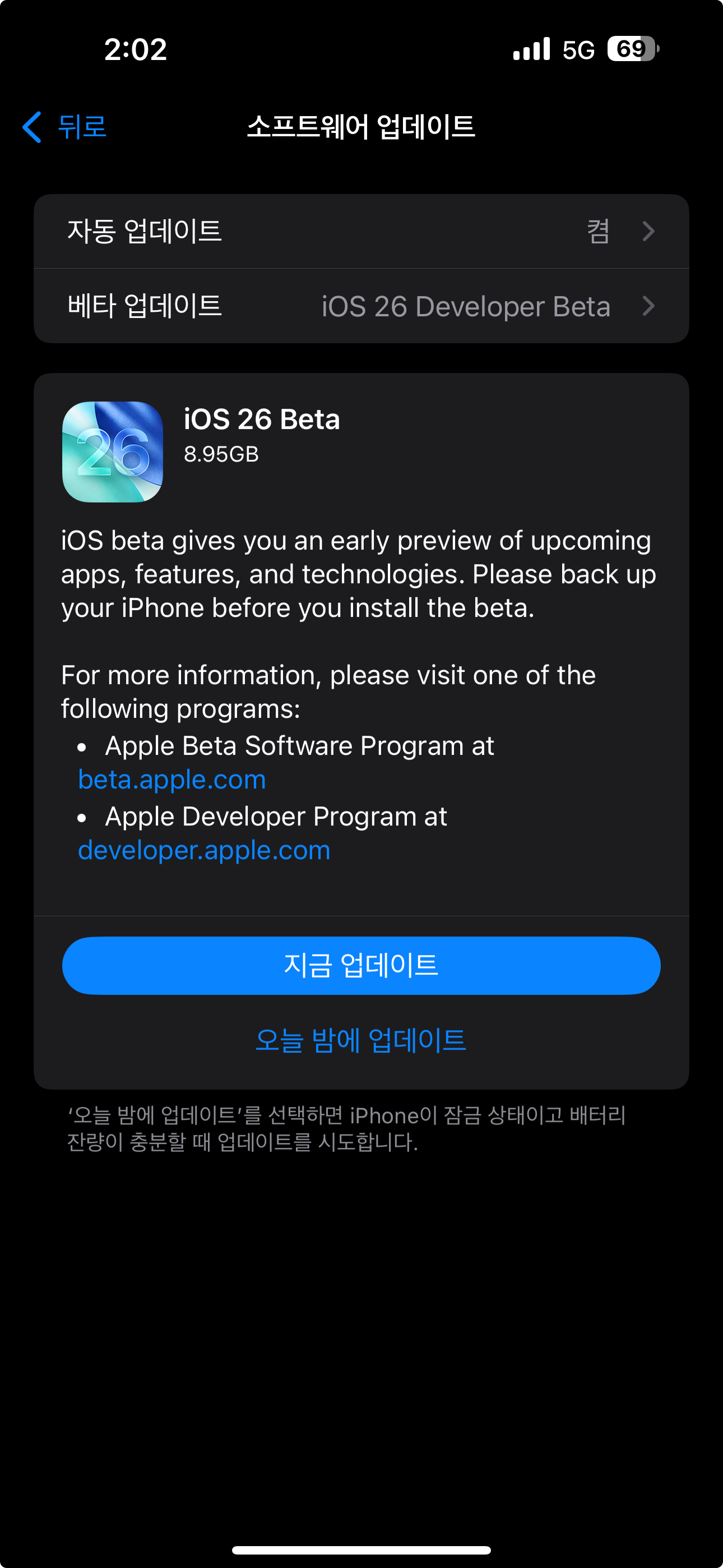
iOS 26 Beta 업데이트 되었습니다.
출처 Link - iOS & iPadOS 26 Beta Release Notes | Apple Developer Documentation
iOS & iPadOS 26 Beta Release Notes | Apple Developer Documentation
Update your apps to use new features, and test your apps against API changes.
developer.apple.com
원문
Overview
The iOS & iPadOS 26 SDK provides support to develop apps for iPhone and iPad running iOS & iPadOS 26 beta. The SDK comes bundled with Xcode 26, available from the Mac App Store. For information on the compatibility requirements for Xcode 26, see Xcode 26 Release Notes.
AdAttributionKit
New Features
- Advertisers of apps can now specify attribution windows based on ad network and ad interaction type in the Info.plist. This information is taken into account when deciding which ad impression drives the conversion. (136554905)
- Advertisers of apps can now specify cooldown periods during which ad conversions will not be attributed for their app. This cooldown can be specified for app installs and reengagement attribution. (136728405)
- AdAttributionKit now provides country code in the postback when crowd anonymity thresholds are met. (136850837)
AirPlay
Known Issues
- You might experience audio issues when using AutoMix with AirPlay. (149772210)
Alternate App Distribution
Known Issues
- In-development web browsers, when tested on a device that is not eligible for alternate app distribution features, will not be able to successfully install web-distributed apps. The app installation will begin but will fail before completion. (152209203)
App Store
New Features
- A new Accessibility section has been added to the App Store product pages that highlights accessibility features within apps and games. These Accessibility Nutrition Labels give users a new way to learn if an app will be accessible to them before they download it, and give developers the opportunity to better inform and educate their users on features their app supports. (138344118)
AppIntents
Known Issues
- Code that references @AppIntent(schema: .visualIntelligence.semanticContentSearch) fails to compile. (152321182)
Apple Intelligence
New Features
- The Foundation Models framework provides you with direct access to the on-device large language model at the core of Apple Intelligence. (139996377)
Known Issues
- In Image Playground and Genmoji, the new modifiers to customize appearance do not work for Japanese-language users. Generation is blocked when attempting to add modifiers to their appearance. (151833204)
- Workaround: Removing any modifiers from the dropdowns in Customize Appearance options will allow generations. Users can also use the “Additional description” text field for modifications.
- Model quality output degrades after extended, repeated inferences of the same adapter. (152468267)
Apple Music
Known Issues
- AutoMix transitions may be less complex or not available in Spatial Audio (152462180)
Apple TV app
Known Issues
- Certain text on Apple TV app content cards might be hard to read. (149376362)
- Certain line items in Apple TV app settings appear twice or disappear unexpectedly. (152248009)
- Workaround: After changing the desired setting, back out of the root page then navigate back to the the applicable settings page. Alternatively, scroll to the bottom of the app settings.
- Certain text and images in the “Key Plays” content tab in live sports playback might not display correctly. (152516659)
Apps
Known Issues
- On some iPads, buttons and symbols might show visual corruption during app launch. (152442679)
ARKit
Known Issues
- Usage of ARBodyTrackingConfiguration causes a crash on certain devices. (152417820)
AssistantSchemas
Known Issues
- If you have adopted any of the following email AssistantSchemas, you will experience a compilation error due to a parameter type change: createDraft, updateDraft, replyMail, forwardMail, message, and draft. (148633307)
- Workaround: Revise the relevant schema implementations to accept an optional AttributedString instead of an optional String for the body parameter or property, and rebuild your app.
AVFoundation
Resolved Issues
- Fixed: AVPlayerLayer does not ensure a valid video frame is always displayed during item replacement, as the isReadyForDisplay property does not remain true during transitions. (151902458)
Background Assets
Known Issues
- The system might not update downloaded asset packs as frequently as is expected for apps that internal testers install from TestFlight. (143281558)
- Workaround: Call checkForUpdates() on the shared asset pack manager in your app’s code.
- Asset pack downloads might fail unexpectedly or stall indefinitely, including across reboots. (151498902)
- Workaround: If your app receives a download status update for a stalled asset pack with a Progress object, then call cancel() on that object before rescheduling the download. Alternatively, you can fetch and cancel the object that represents the stalled download by calling currentDownloads on the shared download manager, extracting the relevant download object from the returned array, and passing the object to a call to cancel(_:) on the shared download manager.
- The system might not deliver status updates to your app for ongoing asset pack downloads. (151647839)
- Workaround: Force Quit and restart your app while testing it.
- Pausing and resuming an app installation or update while the system is downloading essential asset packs might cause the installation or update to stall indefinitely. (151942388)
- Workaround: Delete the stalled app from the Home Screen (on iOS, iPadOS, or tvOS), from the Home View (on visionOS), or from the Finder (on macOS) and reinstall it.
Books
Resolved Issues
- Fixed: Highlight menu color palette in EPUB is black and white. (152321612)
CarPlay
Known Issues
- CarPlay template apps that use the Now Playing screen might occasionally not load artwork on full-screen Now Playing. (151807323)
- Workaround: Change the track or chapter.
Cellular Data Usage
Known Issues
- On a Dual SIM iPhone with multiple lines enabled, cellular data usage might not update after changing the default line for cellular data. (152608995)
- Workaround: Restart the device after switching the default cellular data line.
CloudKit
Known Issues
- CloudKit sharing URLs do not launch third-party apps. (151778655)
- The request access APIs, such as CKShareRequestAccessOperation, are available in the SDK but are currently nonfunctional. (151878020)
Communication Safety
Known Issues
- Communication Safety might cause hangs in FaceTime when triggered to show an intervention. (151729870)
- Workaround: Reboot the device.
DeclaredAgeRange API
Known Issues
- If requestAgeRange triggered the onboarding flow for a parent, selecting Always or Never will lead to the API not responding. (152187255)
- Workaround: Try calling requestAgeRange again to get a valid response.
- On iOS, requestAgeRange might incorrectly return notAvailable. (152194790)
- Workaround: Please try signing out and back in with your Apple Account or wait 24 hours.
- On macOS, if onboarding leads to the Ask First state, the user is not prompted to share or not share their age range. (152327536)
- Workaround: Try calling requestAgeRange again to get a valid response.
Find My App
Known Issues
- Play Sound fails when invoked from Share Item Location links, and “Not Reachable” is displayed. (152029301)
Foundation
New Features
- Interpolating non-localized types into a LocalizedStringResource/String(localized:)/AttributedString(localized:) value will now display a deprecation warning instead of potentially falling back to a fully-unlocalized string. Provide a localized value to interpolate into the text instead, or silence the warning by wrapping the unlocalized value in a call to String(describing:). (126876158)
- ISO8601FormatStyle now allows fractional seconds, regardless of the setting of includingFractionalSeconds. Additionally, ISO8601FormatStyle now allows hours-only time zone offsets. (136950769)
Resolved Issues
- Fixed: Functions that initialize a string from a C-string pointer do not validate that the provided encoding is a valid encoding for C-strings. (143756086) (FB16417968)
Foundation Models framework
Known Issues
- When you pass includeSchemaInPrompt: false to respond or streamResponse, it is not respected. (151926006)
- Custom @Generable types named Number or Boolean might not function reliably in guided generation. (152280144)
- Workaround: Use a different type name.
- Some instructions and prompts to the model might not lead to expected responses. Use Feedback Assistant to report satisfactory or unsatisfactory cases. When applicable, you can use the LanguageModelFeedbackAttachment API to serialize the feedback to a file and attach it to Feedback Assistant. (152318091)
- Workaround: Refine your instructions and prompts using #Playground in Xcode. When applying guided generation with a @Generable type, add @Guide with a custom description on properties to steer the model’s responses.
- Tool calling might not function properly if primitive types such as Int, String, or Bool are used as the argument. (152318534)
- Workaround: Define a custom @Generable type.
- In an Xcode Playground, requests made to the model might receive a “rate limit exceeded” error. (152325506)
- Workaround: Close and reopen the playground tab in the canvas.
Game Center
Known Issues
- User cannot start a Challenge for a leaderboard that has not been published Live via App Store Connect. (151928236)
- Workaround: Test leaderboard locally using Game Progress Manager in Xcode, or publish a leaderboard as Live before creating an associated challenge.
Game Controller
New Features
- For supported game controllers, pressing the Home button once opens the Game Overlay. Set preferredSystemGestureState to receive additional Home button press events. (137780853)
Game Mode
Known Issues
- The LSSupportsGameMode Info.plist key is currently ignored. (151814151)
- Workaround: Use GCSupportsGameMode for iOS games.
HealthKit
New Features
- A user’s medications and their dose events in the Health app are now available for reading via a new API. Use HKUserAnnotatedMedicationQuery to get a list of HKUserAnnotatedMedication objects that encapsulate the users medications. A new HKSample subclass, HKMedicationDoseEvent, tracks the medication doses logged by the user. (114279172)
- Workout session APIs are now available on iOS and iPadOS. This includes HKWorkoutSession and HKLiveWorkoutBuilder, which can be used in your app to track workouts. (125746390)
Known Issues
- The authorization screen prompted by the Medications Authorization API cannot be dismissed if the user has no available medications needing authorization. (152094574)
- Workaround: Force Quit the application that requested authorization.
iOS Simulator
Known Issues
- SIri not accepting voice input making it unusable (152738556)
iPad Multitasking
Known Issues
- Apps launched on external displays default to the same size and position. (143158703)
- Switching apps by swiping left or right with one finger along the bottom edge, or with four/five fingers anywhere on screen, does not work in the new Windowed App Multitasking mode. (151293681)
- The Multitasking mode picker is missing from Control Center on some iPads models. (152457491)
Journaling Suggestions
New Features
- Journaling Suggestions on iPhone now sync over iCloud securely to iPads. Users can enjoy the suggestions created on iPhone on their iPad Journal app or other journaling apps that adopt the API. (152322897)
- Smart notifications now let users know when it’s the best time to journal, based on their routine and location. You can also adopt smart notifications in your journaling app. (152469176)
- Suggestions have been revamped to show scene classification and inferences such as Holidays and Celebrations, new groupings based on patterns, and more. (152469363)
Known Issues
- Journaling suggestions might not download. (151995727)
- Workaround: On iPhone, reboot device. On iPad, toggle OFF/ON “Sync to this iPad” in Settings > Privacy & Security > Journaling suggestions. Wait at least 24 hours for suggestions to download. Workaround might not work for some journaling apps.
- iCloud Storage for Journaling Suggestions returns after “Delete Data From iCloud”. (152102605)
- Workaround: Disable Journaling Suggestions, in Settings > Apple Account > iCloud > Saved to iCloud > Journaling Suggestions, before invoking “Delete Data From iCloud”.
Kernel
Deprecations
- @Description: Calls to sem_open or sem_unlink from a process signed with a Team ID entitlement no longer observe any semaphores created by processes signed with different Team IDs. Named semaphores are now scoped to a single development team. (123476459)
Keyboards
Known Issues
- Keyboards are sometimes missing keys in first-party apps. The keys are not visible, but users are still able to type over the missing key to use it. (152375527)
- Workaround: Reboot the device.
Landscape Mode
Known Issues
- Safe area, search bar alignment, and locations might be incorrect in landscape mode. (152365383)
Lock Screen
Known Issues
- If device is locked and an app is running on the Lock Screen, launching a camera app with Camera Control might not work. (151153912)
- Workaround: Reboot the device.
- Adjusting the glass tint color for Lock Screen time might not be easily accessible. (151240707)
- Workaround: Select a solid color and return to selecting a glass color. The slider handle will then appear.
- Lock Screen controls might be hard to see over lighter wallpaper content. (151324807)
- When editing a photo wallpaper the widget area incorrectly overlaps with the time. (151418602)
- Workaround: Adjust the height of time to move widgets to the bottom.
- If you create a wallpaper using the first-row circles at the top of the Wallpaper Gallery, you might not be able to place widgets directly below the time. (151709613)
- Workaround: Select a suggestion from another row.
- Clock, notifications, and other elements might not display. (152192129)
- Workaround: Swipe down from the status bar to re-present the Lock Screen, or reboot the device.
- Devices might not auto sleep while the passcode UI is visible on the Lock Screen. (152604427)
- Workaround: Dismiss passcode UI or manually lock the device.
Known Issues
- When opening the search field on iPadOS, a blank column will display instead of the message list if the user does not have recent searches or link/document suggestions. (149789435)
- Workaround: Once the user starts typing in the search field or dismisses the search, the message list will re-appear.
- The Select button is missing in Search to perform bulk edit actions. (151313732)
- Workaround: Users can still get into the same state by swiping down with two fingers to select then long-pressing to choose an action.
Maps
Known Issues
- Curated guides do not scroll on iOS, iPadOS, or visionOS when the iPhone is in landscape mode. (152123749)
- Workaround: On iPhone, view curated guides in portrait mode.
- Vehicles with a touchpad interface might not be able to start navigation in CarPlay. (152272727)
- Workaround: Navigation can be started from another available input device, such as iPhone.
Menu Bar
Known Issues
- On iPad, the gesture to invoke the Menu Bar does not work in right-to-left text layouts. (152447825)
Menu Customization
Known Issues
- Menu customization in apps like Notes and Mail might have some visual glitches. (148472167)
Messages
Known Issues
- Users on older devices won’t see compatibility messages for polls, so they might be unaware a poll was sent. (148545742)
- Sent translated messages do not get re-translated after editing. (149401758)
- Workaround: Send the message again instead of editing the original.
- Expanding Conversation Details causes the list of conversations to collapse. (149436051)
- Workaround: Closing Conversation Details will bring back the list.
- In regions where Screen Unknown Senders is on by default, notifications for message categories are erroneously off by default. (149450560)
- Workaround: In Messages settings, manually enable notifications for the categories with the Allow Notifications setting of the Unknown Senders section.
- Deleting and reporting as spam a message that was filtered by a Message Filter App extension does not send the spam report to the extension. (150832702)
- Devices with “Filter Unknown Senders” on before update might have “Time Sensitive” on by default under the Allow Notifications setting in the Unknown Senders section of Messages Settings. (150856051)
- Workaround: Enable “Time Sensitive” manually.
- Transaction or Promotion messages filtered by a Message Filter App Extension might be badged as “Unknown” in the conversation list rather than “Transaction” or “Promotion”. (151869409)
Metal
New Features
- Metal 4 is now supported. See Metal for additional details. (113781091)
Known Issues
- If you’re using Metal 4 command encoders, you should add render and compute pipelines that support indirect command buffers to your residency sets. The Metal device driver currently does not enforce this requirement. (145066238)
- Metal Shader Validation might not work with shaders that use Metal Performance Primitives. (149263281)
- Metal Shader Validation might not work with Metal 4 ray tracing pipelines. (152520367)
- Workaround: Selectively disable Shader Validation for pipelines using ray tracing. See documentation.
MetalFX
Known Issues
- Denoised temporal upscaling for MTL4CommandBuffer’s MTL4FXTemporalDenoisedScaler does not work. (146436460)
- Temporal upscaling for MTL4CommandBuffer’s MTL4FXTemporalScaler does not work. (146436741)
MetricKit
Known Issues
- MetricKit might fail to deliver MXDiskSpaceUsageMetrics on iOS 26 Beta. (151712405)
NetworkExtension
Deprecations
- Algorithms DES, 3DES, SHA1-96 and SHA1-160 as well as Diffie-Hellman groups less than 14 are no longer supported for IKEv2 VPNs. (148767790)
Notifications
Known Issues
- Notification icons do not automatically follow the system appearance when configured to do so. (152191515)
NSLog
New Features
- Dynamic string data in format arguments for NSLog will be redacted to \<private\> in the Unified Logging System. This specifically targets data that enters the Unified Logging System via NSLog, and will not impact the Xcode console or NSLog’s stdout output. If you wish to log un-redacted data to the Unified Logging System please use the “os_log” or “Logger” interfaces. (137129180)
Order Tracking
New Features
- Wallet now finds emails sent by merchants or delivery carriers and conveniently tracks order progress by pulling them together in one place. This feature is available with beta on Apple Intelligence enabled devices. (152090735)
Known Issues
- Users might experience a spinner issue when clicking the ‘Track’ button on the email banner. (152329353)
- Workaround: Charge the device overnight and try again afterward.
Phone
Known Issues
- A user on multiple calls on an iPhone without a Dynamic Island will see two Swap buttons, and the one next to the Contact’s name will not be functional. (152258825)
- Workaround: Use the functional Swap button between the Audio and Mute buttons.
Photos / Photos Picker
Known Issues
- Invoking search in the Photos picker causes the picker to crash. Or invoking Search in a collection in Photos causes Search to crash. (152403781)
- Workaround: Use the Photos app to search for the content. Once you’ve found it, you can share or copy it to continue with the workflow. Use Search in the Library tab to find the content.
Push to Talk
Deprecations
- The legacy Push to Talk Entitlement com.apple.developer.pushkit.unrestricted-voip.ptt is no longer supported on apps built with the iOS 26 SDK or later. Push to Talk apps must be updated to use the Push to Talk framework introduced in iOS 16. (147700313)
RealityComposer
Known Issues
- When you create or open a project in RealityComposer on devices with LiDAR, the screen freezes and shakes after entering AR mode and pressing the Play button. (152324341)
- Workaround: Press the … button, then enable Real-World Occlusion setting. Close and re-open RealityComposer.
RealityKit
Resolved Issues
- Fixed: Entities with a PortalComponent ignore any ModelSortGroupComponent and instead use a fixed rendering order.
- In case of sorting rendering issues with portal surface, explicitly add a ModelSortGroupComponent using a .planarUIAlwaysBehind sort group. (149899345)
Known Issues
- Some properties and components do not update SwiftUI Views when accessed through the .observable property on Entity. (147063698)
- ParticleEmitterComponent does not render properly on iOS, macOS, and tvOS. (152201501)
- The animate functions on Entity and RealityViewContent do not start animations. (152456435)
Security
Deprecations
- For apps linked on or after iOS 26 and macOS 26, the default minimum TLS version of URLSession and Network frameworks has changed from 1.0 to 1.2. If your process connects only to your servers, verify that they support TLS 1.3 or TLS 1.2. If your process needs to connect to 3rd-party servers which cannot be updated to support newer versions of TLS, restore the previous behavior through URLSession and Security framework APIs: URLSessionConfiguration.tlsMinimumSupportedProtocolVersion and sec_protocol_options_set_min_tls_protocol_version. (135996267)
Setup Assistant
Known Issues
- The cursive Welcome text might be missing at the end of Setup Assistant. (152601626)
- Workaround: Swipe up or tap Get Started to complete setup.
Software Update
New Features
- Depending on the amount of free space available, iOS might dynamically reserve update space for Automatic Updates to download and install successfully. (137003545)
StoreKit
New Features
- There is a new option for the Transaction.Offer.PaymentMode API called oneTime. This new case supports the method of payment for In-App Purchase offer codes. (142501142)
- Subscription promotional offers can now be signed using JWS and attached to a purchase using the new PurchaseOption.promotionalOffer(_:compactJWS:) API. There are also new corresponding SwiftUI APIs in StoreKit to attach a signed promotional offer or a signed introductory offer override to a view. (143395736)
- SubscriptionOfferView is a new SwiftUI view to merchandise auto-renewable subscriptions. It is designed to capture customers’ attention about the app’s service. (145251635)
Resolved Issues
- Fixed: Subscription status updates might not be reported correctly if the subscription went into billing retry in StoreKit Testing in Xcode. (133799135) (FB14789854)
- Fixed: Price of offers is not displayed in the payment sheet when making a purchase to a subscription with a higher level of service in StoreKit Testing in Xcode. (140635780) (FB15980635)
- Fixed: Renewal transactions might be created regardless of the Ask to Buy status of the purchase request in StoreKit Testing in Xcode. (145242611)
- Resolved an issue with the Identifiable conformance of the PurchaseIntent API. Conformance to this protocol now begins starting with iOS 18.0 and macOS 15.0. (148751460) (FB17151889)
Swift Compiler
Known Issues
- The Swift compiler might crash when building a project that initializes a UISymbolContentTransition. (150858005)
Swift Standard Library
Known Issues
- The span properties of InlineArray and CollectionOfOne trap at runtime. (147500528)
- mutating members of MutableSpan and MutableRawSpan are unavailable. (152467655)
- Workaround: Add “-enable-experimental-feature InoutLifetimeDependence” to the “swift-module-flags” line of the swiftinterface file.
SwiftUI
New Features
- ControlSize now conforms to Comparable, and View/controlSize(_:) can now be used to clamp the environment’s controlSize to a given range. (99633360) (FB11465757)
- In apps built with the macOS 26 SDK, Section footers within a Form of the GroupedFormStyle now have leading alignment, default font, and foreground styles. Use the sectionActions(content:) view modifier on your Section to supply section actions, which maintain a trailing placement in macOS. In iOS and iPadOS, each section action displays as its own form row. (129868475)
- Text, TextEditor, and TextField now by default use string contents to determine the appropriate base writing direction for each paragraph, instead of relying on layout directionality. To specify the writing direction explicitly on a per-paragraph basis, use Foundation’s AttributedString.writingDirection attribute. To make the base writing direction follow the layout direction for an entire view, apply the view modifier .writingDirection(strategy: .layoutBased). (134821288)
- In apps built with the macOS 26 and iOS 26 SDKs, a Picker view of a style that produces a button-like control now has a fitted sizing behavior by default. If needed, use the buttonSizing(_:) view modifier to make the Picker flexible and fill the available width of its container. (136649748)
- When linking news SDKs, NavigationLinks produce a single view, rather than a list of views in view list contexts. This change improves performance of many NavigationLinks in lazy containers like List. However, if you are relying on ContainerValues propagating out of the label view of a NavigationLink, or similarly relying on ContainerValues of a ButtonStyle used to style a link, the containerValue(_:,_:) modifier should be moved outside of the link. Below is a minimal example that demonstrates the behavior difference:(140283584)
-
import SwiftUI struct ContentView: View { @State private var presentPopover = false var body: some View { NavigationLink("Custom Link", value: 84) .buttonStyle(MyButtonStyle(containerValue: "Eighty-four")) } } struct ParentView: View { var body: some View { Group(subviews: ContentView()) { subviews in ForEach(subviews) { subview in Text(subview.containerValues.myCustomValue) } } .frame(minWidth: 100, minHeight: 100) } } struct MyButtonStyle: PrimitiveButtonStyle { var containerValue: String func makeBody(configuration: Configuration) -> some View { Button(configuration) .buttonBorderShape(.circle) .containerValue(\.myCustomValue, containerValue) } } private struct MyContainerValueKey: ContainerValueKey { static let defaultValue: String = "Default value" } extension ContainerValues { var myCustomValue: String { get { self[MyContainerValueKey.self] } set { self[MyContainerValueKey.self] = newValue } } } #Preview { ParentView() } - List no longer ignores the vertical insets of rows with a height close to the default minimum height on iOS and visionOS. Use listRowInsets(_:_:) to change the vertical row insets. (141160852)
- In NavigationSplitView and TabViews configured as sidebarAdaptable, the view trailing the sidebar’s safe area is inset in the width of the sidebar. It can display content outside its safe area, underneath the sidebar. (141222137)
- On macOS, after linking new SDKs, the style of search fields with SearchFieldPlacement.sidebar is now fixed to the toolbar. Previously the search field would scroll as the first element in the list. (143546967)
- In iOS and iPadOS apps that adopt the new design, a picker of .segmented style now supports .large and .extraLarge control sizes. (144417732)
- In apps that adopt the new design, the buttonBorderShape(_:) view modifier can be used to customize the shape of bordered buttons. Previously this modifier only affected buttons in Widgets in macOS. (145773436)
- The buttonSizing(_:) view modifier specifies the sizing behavior of Button, Picker, Menu, and other button-producing controls. If you are using Spacer views or an infinite-width frame in your Button label to create a flexible button, apply buttonSizing(.flexible) to the Button instead. (146327046)
Resolved Issues
- Fixed: TextEditor’s undo stack might contain invalid operations for applications with multiple TextEditor views. (83650197) (FB9662463)
- Fixed: The menu content of some Menu views does not update as the result of a state change. (106878937)
- Fixed: View.onHover(perform:) and View.onContinuousHover(coordinateSpace:perform:) affect hit-testing for gestures. Gestures are not received if one of these view modifiers is used within an overlay. (108560020)
- Fixed: Section views without isExpanded binding are collapsible in a sidebar-styled List on macOS. (115797465) (FB13192271)
- Fixed: listSectionSpacing does not work correctly for sections that have headers and footers. For more control over the list section layout, use the listSectionMargins modifier. (140929163)
- Fixed: On iOS, navigationSplitViewColumnWidth() does not respect the specified minimum and maximum column widths. (143529326)
- Fixed: Multiple title views in sidebar list labels on iOS are not styled hierarchically as title and subtitle. (144253754)
- Fixed: In custom layouts that do not implement explicitAlignment(of:in:proposal:subviews:cache:), alignment guides do not work correctly for a right-to-left layout direction. (145073832)
- Fixed: Applying a bold modifier to Text resets the weight configuration. The interaction of bold and weight is not consistent between Text and Font. (147270079)
- Fixed: Gestures added using the simultaneousGesture(_:isEnabled:) view modifier are incorrectly simultaneous with ancestor gestures. (147970990)
- Fixed: On platforms supporting edge-attached and non-edge-attached sheets, non-edge-attached sheets present erroneously as full-screen covers when .navigationTransition(.zoom...) is specified. If you wish to keep the full-screen cover in compact size classes, configure a sheet with:(150455117)
-
 .sheet(...) {
    ContentView()
     .navigationTransition(.zoom...)
     .presentationSizing(.page)
     .presentationCompactAdaptation(.fullScreen)
Known Issues
- On iOS and iPadOS, inspector does not respect the width applied with inspectorColumnWidth. (145162377)
- On iOS and iPadOS, inspector columns do not present if the hierarchy does not contain a NavigationSplitView. (145686228)
- On iOS and iPadOS, sheets applied to toolbar items sometimes do not display if the sheet is presented at the same time a popover is dismissed. (150764801)
- toolbarForegroundStyle no longer tints toolbar button labels on watchOS. (151487439)
- Workaround: Tint the button label directly, using Text("foo").foregroundStyle(...).
- On iOS and iPadOS, bordered prominent buttons in toolbars do not have the correct default padding or symbol metrics. (151792861)
- .toolbarVisibility(_:for:) does not hide the navigation bar on watchOS. (152326250)
- If Default Actor Isolation is set to MainActor, @Animatable macro emits concurrency warnings in Swift 5 language mode and does not compile in Swift 6 language mode. (152524435)
- Workaround: Use Swift 5 language mode or set Default Actor Isolation to nonisolated in project’s build settings.
Deprecations
- Text concatenation using the + operator is deprecated because it makes it hard to create localized strings that are correct across all languages. Use Text interpolation instead. See documentation on Text for more info on how to produce localized strings. (128144043)
TextKit 2
New Features
- A new property, includesTextListMarkers, is introduced to NSTextList, NSTextContentStorage, and NSWritingToolsCoordinator. This property controls whether to include the text list marker string in the contents of NSAttributedString for paragraphs associated with NSTextList. TextKit 1 expects the marker string, while TextKit 2 does not. The TextKit 2 behavior was adopted by UIKit starting with iOS 18 (includesTextListMarkers=NO). AppKit is also adopting the TextKit 2 text list behavior starting with macOS 26. (128479184)
Translation
Known Issues
- Downloading languages for translation might display incomplete indicators on the download screen resulting in translation features being unavailable. (148923222)
- Workaround: Reboot the device.
UIKit
New Features
- In TextKit 2, the includesTextListMarkers property has been introduced to NSTextList, NSTextContentStorage and UIWritingToolsCoordinator. For paragraphs associated with NSTextList, the property controls whether to include the text list marker string in the NSAttributedString contents. The classes within TextKit 1 expect the marker string, while the classes within TextKit 2 do not. (144903432)
Known Issues
- In apps using UIToolbar, the Search bar sometimes does not respond to taps and displays without the magnifying glass, dictation button, or placeholder text. (151126350)
- Workaround: Quit the app then re-launch it.
Wallpapers
Known Issues
- Widgets might be missing on the previews of photo wallpapers in the gallery. (151464159)
- After install or reboot, the default wallpaper might show as pink when the display dims or is on rotation. (152119543)
- Some wallpapers specific to certain devices might be missing. (152284310)
Watch Faces
Known Issues
- Complications configured on watch faces might appear ‘Off’ on the Watch app. (152324791)
- Workaround: Use Apple Watch directly to edit complications.
Weather
Known Issues
- Users might see a blank white button on some tips for Weather features. The button will be operable. (152088799)
WebKit API
Known Issues
- WKPreferences.isLookToScrollEnabled is not available on non-visionOS platforms. (152106377)
Wi-Fi Aware
Known Issues
- transmitLatency property of WAPerformanceReport might not report latency values. (151628308)
- Network connection to a paired device with an already-established connection might not succeed. (151873702)
- Workaround: Remove existing connection to a paired device before attempting a new one.
- Connections might be terminated unexpectedly after 120 seconds. (152279075)
- Connections attempted while browser is not running might fail. (152336071)
- Workaround: Make connections while browser is running.
Widgets
Known Issues
- A select few widgets such as Batteries, Contacts, Files might have an incorrect UI treatment. (145492734)
한글 (번역기)
개요
iOS 및 iPadOS 26 SDK는 iOS 및 iPadOS 26 베타를 실행하는 iPhone 및 iPad용 앱 개발을 지원합니다. SDK는 Mac App Store에서 사용할 수 있는 Xcode 26과 함께 번들로 제공됩니다. Xcode 26의 호환성 요구 사항에 대한 자세한 내용은 Xcode 26 릴리스 정보를 참조하세요.
광고 어트리뷰션키트
새로운 기능
- 앱 광고주는 이제 Info.plist에서 광고 네트워크 및 광고 상호 작용 유형을 기반으로 어트리뷰션 기간을 지정할 수 있습니다. 이 정보는 전환을 유도하는 광고 노출을 결정할 때 고려됩니다. (136554905)
- 이제 앱 광고주는 광고 전환이 앱에 어트리뷰션되지 않는 휴지 기간을 지정할 수 있습니다. 이 휴지 시간은 앱 설치 및 리인게이지먼트 어트리뷰션에 대해 지정할 수 있습니다. (136728405)
- AdAttributionKit은 이제 군중 익명성 임계값이 충족될 때 포스트백에 국가 코드를 제공합니다. (136850837)
에어플레이
알려진 문제
- AirPlay와 함께 AutoMix를 사용할 때 오디오 문제가 발생할 수 있습니다. (149772210)
대체 앱 배포Alternate App Distribution
알려진 문제
- 개발 중인 웹 브라우저는 대체 앱 배포 기능을 사용할 수 없는 장치에서 테스트하면 웹 배포 앱을 성공적으로 설치할 수 없습니다. 앱 설치가 시작되지만 완료되기 전에 실패합니다. (152209203)
앱 스토어
새로운 기능
- App Store 제품 페이지에 새로운 손쉬운 사용 섹션이 추가되어 앱 및 게임 내의 손쉬운 사용 기능을 강조합니다. 이러한 접근성 영양 라벨은 사용자가 앱을 다운로드하기 전에 앱에 액세스할 수 있는지 확인할 수 있는 새로운 방법을 제공하며, 개발자는 앱이 지원하는 기능에 대해 사용자에게 더 나은 정보를 제공하고 교육할 수 있는 기회를 제공합니다. (138344118)
AppIntents
알려진 문제
- 참조하는 코드가 컴파일되지 않습니다. (152321182)@AppIntent(schema: .visualIntelligence.semanticContentSearch)
애플 인텔리전스
새로운 기능
- Foundation Models 프레임워크를 사용하면 Apple Intelligence의 핵심인 기기 내 대규모 언어 모델에 직접 액세스할 수 있습니다. (139996377)
알려진 문제
- Image Playground 및 Genmoji에서 모양을 사용자 정의하는 새로운 수정자는 일본어 사용자에게 작동하지 않습니다. 모양에 수정자를 추가하려고 할 때 생성이 차단됩니다. (151833204)
- 해결 방법: Customize Appearance 옵션의 드롭다운에서 수정자를 제거하면 세대가 허용됩니다. 사용자는 "추가 설명" 텍스트 필드를 사용하여 수정할 수도 있습니다.
- 모델 품질 출력은 동일한 어댑터에 대한 확장되고 반복된 추론 후에 저하됩니다. (152468267)
애플 뮤직
알려진 문제
- AutoMix 전환은 덜 복잡하거나 공간 오디오(152462180)에서 사용하지 못할 수 있습니다.
애플 TV 앱
알려진 문제
- Apple TV 앱 콘텐츠 카드의 특정 텍스트는 읽기 어려울 수 있습니다. (149376362)
- Apple TV 앱 설정의 특정 항목이 두 번 나타나거나 예기치 않게 사라집니다. (152248009)
- 해결 방법: 원하는 설정을 변경한 후 루트 페이지에서 물러난 다음 해당 설정 페이지로 다시 이동합니다. 또는 앱 설정 하단으로 스크롤합니다.
- 라이브 스포츠 재생의 "Key Plays" 콘텐츠 탭에 있는 특정 텍스트와 이미지가 제대로 표시되지 않을 수 있습니다. (152516659)
앱
알려진 문제
- 일부 iPad에서는 앱 실행 중에 버튼과 기호가 시각적 손상을 표시할 수 있습니다. (152442679)
ARKit
알려진 문제
- ARBodyTrackingConfiguration을 사용하면 특정 디바이스에서 충돌이 발생합니다. (152417820)
어시스턴트스키마
알려진 문제
- 다음 이메일 AssistantSchemas 중 하나를 채택한 경우 매개 변수 유형 변경으로 인해 컴파일 오류가 발생합니다. (148633307)createDraftupdateDraftreplyMailforwardMailmessagedraft
- 해결 방법: body 매개 변수 또는 속성에 대해 선택 사항 대신 선택 사항을 허용하도록 관련 스키마 구현을 수정하고 앱을 다시 빌드합니다.AttributedStringString
AV펀다ation
해결된 문제
- 수정됨: 전환 중에 속성이 true로 유지되지 않기 때문에 항목 교체 중에 유효한 비디오 프레임이 항상 표시되도록 보장하지 않습니다. (151902458)AVPlayerLayerisReadyForDisplay
배경 자산
알려진 문제
- 시스템은 내부 테스터가 TestFlight에서 설치하는 앱에 대해 예상되는 것만큼 자주 다운로드한 애셋 팩을 업데이트하지 않을 수 있습니다. (143281558)
- 해결 방법: 앱 코드에서 공유 자산 팩 관리자를 호출합니다.checkForUpdates()
- 애셋 팩 다운로드는 예기치 않게 실패하거나 재부팅을 포함하여 무기한 중단될 수 있습니다. (151498902)
- 해결 방법: 앱이 객체와 함께 중단된 애셋 팩에 관한 다운로드 상태 업데이트를 수신하면 다운로드 일정을 조정하기 전에 해당 객체를 호출하십시오. 또는 공유 다운로드 관리자를 호출하고, 반환된 배열에서 관련 다운로드 개체를 추출하고, 공유 다운로드 관리자의 호출에 개체를 전달하여 중단된 다운로드를 나타내는 개체를 가져오고 취소할 수 있습니다.Progresscancel()currentDownloadscancel(_:)
- 시스템은 진행 중인 애셋 팩 다운로드를 위해 앱에 상태 업데이트를 제공하지 않을 수 있습니다. (151647839)
- 해결 방법: 테스트하는 동안 앱을 강제 종료하고 다시 시작하십시오.
- 시스템이 필수 애셋 팩을 다운로드하는 동안 앱 설치 또는 업데이트를 일시중지했다가 다시 시작하면 설치 또는 업데이트가 무기한 중단될 수 있습니다. (151942388)
- 해결 방법: 홈 화면(iOS, iPadOS 또는 tvOS), 홈 보기(visionOS) 또는 Finder(macOS)에서 중단된 앱을 삭제하고 다시 설치합니다.
책
해결된 문제
- 수정됨: EPUB의 하이라이트 메뉴 색상 팔레트가 흑백입니다. (152321612)
카플레이
알려진 문제
- 지금 재생 중 화면을 사용하는 CarPlay 템플릿 앱이 때때로 전체 화면 지금 재생 중에 아트워크를 로드하지 못할 수 있습니다. (151807323)
- 해결 방법: 트랙 또는 챕터를 변경합니다.
셀룰러 데이터 사용량
알려진 문제
- 여러 회선이 활성화된 듀얼 SIM iPhone에서 셀룰러 데이터의 기본 회선을 변경한 후 셀룰러 데이터 사용량이 업데이트되지 않을 수 있습니다. (152608995)
- 해결 방법: 기본 셀룰러 데이터 라인을 전환한 후 장치를 다시 시작하십시오.
클라우드킷
알려진 문제
- CloudKit 공유 URL은 타사 앱을 실행하지 않습니다. (151778655)
- CKShareRequestAccessOperation과 같은 요청 액세스 API는 SDK에서 사용할 수 있지만 현재 작동하지 않습니다. (151878020)
통신 안전
알려진 문제
- 통신 안전으로 인해 개입이 표시되도록 트리거될 때 FaceTime이 중단될 수 있습니다. (151729870)
- 해결 방법: 장치를 재부팅합니다.
선언된 AgeRange API
알려진 문제
- requestAgeRange가 부모에 대한 온보딩 흐름을 트리거한 경우 항상 또는 안 함을 선택하면 API가 응답하지 않습니다. (152187255)
- 해결 방법: 유효한 응답을 얻으려면 requestAgeRange를 다시 호출해 보세요.
- iOS에서 requestAgeRange는 notAvailable을 잘못 반환할 수 있습니다. (152194790)
- 해결 방법: Apple 계정으로 로그아웃했다가 다시 로그인하거나 24시간 동안 기다려 보세요.
- macOS에서 온보딩이 먼저 묻기 상태로 이어지는 경우 사용자에게 연령대를 공유하거나 공유하지 말라는 메시지가 표시되지 않습니다. (152327536)
- 해결 방법: 유효한 응답을 얻으려면 requestAgeRange를 다시 호출해 보세요.
내 앱 찾기
알려진 문제
- Share Item Location 링크에서 사운드 재생이 호출될 때 실패하고 "Not Reachable"이 표시됩니다. (152029301)
토대
새로운 기능
- 지역화되지 않은 형식을 값으로 보간하면 이제 완전히 지역화되지 않은 문자열로 대체되는 대신 사용 중단 경고가 표시됩니다. 대신 텍스트로 보간할 지역화된 값을 제공하거나, 지역화되지 않은 값을 호출에 래핑하여 경고를 무음으로 설정합니다. (126876158)LocalizedStringResource/String(localized:)/AttributedString(localized:)String(describing:)
- ISO8601FormatStyle 이제 의 설정에 관계없이 소수 자릿수 초를 허용합니다. 또한 이제 시간 전용 표준 시간대 오프셋을 허용합니다. (136950769)includingFractionalSecondsISO8601FormatStyle
해결된 문제
- 수정됨: C-string 포인터에서 문자열을 초기화하는 함수는 제공된 인코딩이 C-string에 유효한 인코딩인지 확인하지 않습니다. (143756086) (FB16417968)
Foundation Models 프레임워크
알려진 문제
- 당신이 또는 로 전달할 때 그것은 존중되지 않습니다. (151926006)includeSchemaInPrompt: falserespondstreamResponse
- 이름이 지정되거나 안내 생성에서 안정적으로 작동하지 않을 수 있는 사용자 지정 형식. (152280144)@GenerableNumberBoolean
- 해결 방법: 다른 유형 이름을 사용합니다.
- 모델에 대한 일부 지침 및 프롬프트는 예상 응답으로 이어지지 않을 수 있습니다. Feedback Assistant를 사용하여 만족스럽거나 불만족스러운 사례를 보고합니다. 해당되는 경우 API를 사용하여 피드백을 파일에 직렬화하고 피드백 지원에 첨부할 수 있습니다. (152318091)LanguageModelFeedbackAttachment
- 해결 방법: Xcode에서 지침과 프롬프트를 구체화하십시오. 유형과 함께 안내 생성을 적용할 때 속성에 대한 사용자 정의 설명을 추가하여 모델의 응답을 조정합니다.#Playground@Generable@Guide
- 도구 호출은 , 또는 또는 과 같은 기본 유형이 인수로 사용되는 경우 제대로 작동하지 않을 수 있습니다. (152318534)IntStringBool
- 해결 방법: 사용자 지정 유형을 정의합니다.@Generable
- Xcode Playground에서 모델에 대한 요청은 "rate limit exceeded" 오류를 수신할 수 있습니다. (152325506)
- 해결 방법: 캔버스에서 플레이그라운드 탭을 닫았다가 다시 엽니다.
게임 센터
알려진 문제
- 사용자는 App Store Connect를 통해 실시간으로 게시되지 않은 순위표에 대한 챌린지를 시작할 수 없습니다. (151928236)
- 해결 방법: Xcode의 Game Progress Manager를 사용하여 로컬에서 순위표를 테스트하거나 관련 챌린지를 생성하기 전에 순위표를 라이브로 게시합니다.
게임 컨트롤러
새로운 기능
- 지원되는 게임 컨트롤러의 경우 홈 버튼을 한 번 누르면 게임 오버레이가 열립니다. 추가 홈 버튼 누름 이벤트를 수신하도록 설정합니다. (137780853)preferredSystemGestureState
게임 모드
알려진 문제
- LSSupportsGameMode 키는 현재 무시됩니다. (151814151)Info.plist
- 해결 방법: iOS 게임에는 GCSupportsGameMode 를 사용합니다.
헬스킷
새로운 기능
- 이제 건강 앱에서 사용자의 약물 및 복용량 이벤트를 새로운 API를 통해 읽을 수 있습니다. 사용자의 약물을 캡슐화하는 개체 목록을 가져오는 데 사용합니다. 새 하위 클래스인 는 사용자가 기록한 약물 복용량을 추적합니다. (114279172)HKUserAnnotatedMedicationQueryHKUserAnnotatedMedicationHKSampleHKMedicationDoseEvent
- 이제 iOS 및 iPadOS에서 운동 세션 API를 사용할 수 있습니다. 여기에는 앱에서 운동을 추적하는 데 사용할 수 있는 및 가 포함됩니다. (125746390)HKWorkoutSessionHKLiveWorkoutBuilder
알려진 문제
- 사용자에게 승인이 필요한 사용 가능한 의약품이 없는 경우 Medications Authorization API에서 프롬프트하는 권한 부여 화면을 해제할 수 없습니다. (152094574)
- 해결 방법: 권한 부여를 요청한 응용 프로그램을 강제 종료합니다.
iOS 시뮬레이터
알려진 문제
- SIri가 음성 입력을 수락하지 않아 사용할 수 없음(152738556)
iPad 멀티태스킹
알려진 문제
- 외부 디스플레이에서 실행된 앱은 기본적으로 동일한 크기와 위치로 설정됩니다. (143158703)
- 한 손가락으로 아래쪽 가장자리를 따라 왼쪽 또는 오른쪽으로 살짝 밀거나 화면의 아무 곳에서나 네 손가락이나 다섯 손가락으로 앱을 전환하는 것은 새 창 앱 멀티태스킹 모드에서 작동하지 않습니다. (151293681)
- 멀티태스킹 모드 선택기가 일부 iPad 모델의 제어 센터에 없습니다. (152457491)
저널링 제안
새로운 기능
- iPhone의 저널링 제안은 이제 iCloud를 통해 iPad와 안전하게 동기화됩니다. 사용자는 iPhone에서 생성된 제안을 iPad 저널 앱 또는 API를 채택한 다른 저널링 앱에서 즐길 수 있다. (152322897)
- 스마트 알림은 이제 사용자에게 일상과 위치를 기반으로 저널링하기 가장 좋은 시간을 알려줍니다. 저널링 앱에서 스마트 알림을 채택할 수도 있습니다. (152469176)
- Holidays 및 Celebrations와 같은 장면 분류 및 추론, 패턴을 기반으로 한 새로운 그룹화 등을 표시하도록 제안이 개선되었습니다. (152469363)
알려진 문제
- 저널링 제안이 다운로드되지 않을 수 있습니다. (151995727)
- 해결 방법: iPhone에서 장치를 재부팅합니다. iPad의 경우 설정 > 개인 정보 보호 및 보안 > 저널링 제안에서 "이 iPad와 동기화"를 끄거나 켭니다. 제안사항이 다운로드될 때까지 최소 24시간 동안 기다립니다. 일부 저널링 앱에서는 해결 방법이 작동하지 않을 수 있습니다.
- 저널링 제안에 대한 iCloud 저장 공간이 "iCloud에서 데이터 삭제" 후에 반환됩니다. (152102605)
- 해결 방법: "iCloud에서 데이터 삭제"를 호출하기 전에 iCloud > 저널링 제안> 저장된 Apple 계정 >> Apple 계정 설정에서 저널링 제안을 비활성화합니다.
커널
사용 중단
- @Description: 팀 ID 권한으로 서명된 프로세스에 대한 호출은 더 이상 다른 팀 ID로 서명된 프로세스에서 생성된 세마포를 관찰하지 않습니다. 이제 명명된 세마포의 범위가 단일 개발 팀으로 지정됩니다. (123476459)sem_opensem_unlink
키보드
알려진 문제
- 키보드에 자사 앱에서 키가 없는 경우가 있습니다. 키는 표시되지 않지만 사용자는 누락된 키를 입력하여 사용할 수 있습니다. (152375527)
- 해결 방법: 장치를 재부팅합니다.
랜드스케이프 모드
알려진 문제
- 안전 영역, 검색 창 정렬 및 위치가 가로 모드에서 올바르지 않을 수 있습니다. (152365383)
잠금 화면
알려진 문제
- 장치가 잠겨 있고 앱이 잠금 화면에서 실행 중인 경우 카메라 컨트롤을 사용하여 카메라 앱을 실행하지 못할 수 있습니다. (151153912)
- 해결 방법: 장치를 재부팅합니다.
- 잠금 화면 시간에 대한 유리 색조 색상 조정은 쉽게 액세스하지 못할 수 있습니다. (151240707)
- 해결 방법: 단색을 선택하고 유리 색상 선택으로 돌아갑니다. 그러면 슬라이더 핸들이 나타납니다.
- 잠금 화면 컨트롤은 밝은 배경화면 콘텐츠에서 보기 어려울 수 있습니다. (151324807)
- 사진 배경 무늬를 편집할 때 위젯 영역이 시간과 잘못 겹칩니다. (151418602)
- 해결 방법: 위젯을 맨 아래로 이동하려면 시간 높이를 조정합니다.
- 월페이퍼 갤러리 맨 위에 있는 첫 번째 행 원을 사용하여 월페이퍼를 만드는 경우 시간 바로 아래에 위젯을 배치하지 못할 수 있습니다. (151709613)
- 해결 방법: 다른 행에서 제안을 선택합니다.
- 시계, 알림 및 기타 요소가 표시되지 않을 수 있습니다. (152192129)
- 해결 방법: 상태 표시줄에서 아래로 스와이프하여 잠금 화면을 다시 표시하거나 장치를 재부팅합니다.
- 잠금 화면에 암호 UI가 표시되는 동안 장치가 자동으로 절전 모드로 전환되지 않을 수 있습니다. (152604427)
- 해결 방법: 암호 UI를 해제하거나 장치를 수동으로 잠급니다.
우편
알려진 문제
- iPadOS에서 검색 필드를 열 때 사용자에게 최근 검색 또는 링크/문서 제안이 없는 경우 메시지 목록 대신 빈 열이 표시됩니다. (149789435)
- 해결 방법: 사용자가 검색 필드에 입력을 시작하거나 검색을 해제하면 메시지 목록이 다시 나타납니다.
- 대량 편집 작업을 수행하기 위한 선택(Select) 단추가 검색에 없습니다. (151313732)
- 해결 방법: 사용자는 두 손가락으로 아래로 스와이프하여 선택한 다음 길게 눌러 작업을 선택하여 동일한 상태를 유지할 수 있습니다.
지도
알려진 문제
- iPhone이 가로 모드일 때 iOS, iPadOS 또는 visionOS에서 선별된 가이드가 스크롤되지 않습니다. (152123749)
- 해결 방법: iPhone에서는 선별된 가이드를 세로 모드로 볼 수 있습니다.
- 터치패드 인터페이스가 있는 차량은 CarPlay에서 내비게이션을 시작하지 못할 수 있습니다. (152272727)
- 해결 방법: iPhone과 같은 사용 가능한 다른 입력 장치에서 탐색을 시작할 수 있습니다.
메뉴 바
알려진 문제
- iPad에서 메뉴 막대를 호출하는 제스처가 오른쪽에서 왼쪽 텍스트 레이아웃에서 작동하지 않습니다. (152447825)
Menu Customization
알려진 문제
- Notes 및 Mail과 같은 앱의 메뉴 사용자 정의에는 몇 가지 시각적 결함이 있을 수 있습니다. (148472167)
메시지
알려진 문제
- 이전 기기의 사용자는 설문조사에 대한 호환성 메시지를 볼 수 없으므로 설문조사가 전송되었다는 사실을 모를 수 있습니다. (148545742)
- 전송된 번역된 메시지는 편집 후 다시 번역되지 않습니다. (149401758)
- 해결 방법: 원본을 편집하는 대신 메시지를 다시 보냅니다.
- 대화 세부 정보를 확장하면 대화 목록이 축소됩니다. (149436051)
- 해결 방법: 대화 세부 정보를 닫으면 목록이 다시 표시됩니다.
- 알 수 없는 발신자 차단이 기본적으로 켜져 있는 지역에서는 메시지 범주에 대한 알림이 기본적으로 잘못 꺼져 있습니다. (149450560)
- 해결 방법: Messages settings(메시지 설정)에서 Unknown Senders(알 수 없는 발신자) 섹션의 Allow Notifications(알림 허용) 설정을 사용하여 범주에 대한 알림을 수동으로 활성화합니다.
- 메시지 필터 앱 확장에 의해 필터링된 메시지를 삭제하고 스팸으로 보고하면 스팸 보고서가 확장으로 전송되지 않습니다. (150832702)
- 업데이트하기 전에 "알 수 없는 보낸 사람 필터링"이 켜져 있는 장치는 메시지 설정의 알 수 없는 보낸 사람 섹션에 있는 알림 허용 설정에서 기본적으로 "시간 민감"이 켜져 있을 수 있습니다. (150856051)
- 해결 방법: "Time Sensitive"를 수동으로 활성화합니다.
- 메시지 필터 앱 확장에 의해 필터링된 트랜잭션 또는 프로모션 메시지는 대화 목록에서 "트랜잭션" 또는 "프로모션"이 아닌 "알 수 없음"으로 배지가 지정될 수 있습니다. (151869409)
금속
새로운 기능
- Metal 4가 지원됩니다. 자세한 내용은 Metal을 참조하십시오. (113781091)
알려진 문제
- Metal 4 명령 인코더를 사용하는 경우 간접 명령 버퍼를 지원하는 렌더링 및 컴퓨팅 파이프라인을 레지던시 세트에 추가해야 합니다. Metal 장치 드라이버는 현재 이 요구 사항을 적용하지 않습니다. (145066238)
- Metal Shader Validation은 Metal Performance Primitives를 사용하는 셰이더에서 작동하지 않을 수 있습니다. (149263281)
- Metal 셰이더 유효성 검사는 Metal 4 광선 추적 파이프라인에서 작동하지 않을 수 있습니다. (152520367)
- 해결 방법: 레이 트레이싱을 사용하는 파이프라인에 대한 셰이더 유효성 검사를 선택적으로 비활성화합니다. 설명서를 참조하십시오.
메탈FX
알려진 문제
- MTL4CommandBuffer에 대한 노이즈 제거된 시간 업스케일링이 작동하지 않습니다. (146436460)MTL4FXTemporalDenoisedScaler
- MTL4CommandBuffer에 대한 임시 업스케일링이 작동하지 않습니다. (146436741)MTL4FXTemporalScaler
메트릭킷
알려진 문제
- MetricKit은 iOS 26 베타에서 s를 제공하지 못할 수 있습니다. (151712405)MXDiskSpaceUsageMetric
네트워크 확장
사용 중단
- 알고리즘 DES, 3DES, SHA1-96 및 SHA1-160과 14 미만의 Diffie-Hellman 그룹은 IKEv2 VPN에서 더 이상 지원되지 않습니다. (148767790)
알림을
알려진 문제
- 알림 아이콘은 구성될 때 시스템 모양을 자동으로 따르지 않습니다. (152191515)
NSL로그
새로운 기능
- 형식 인수에 대한 동적 문자열 데이터는 통합 로깅 시스템에서 수정됩니다. 이는 특히 를 통해 Unified Logging System에 입력되는 데이터를 대상으로 하며 Xcode 콘솔 또는 의 출력에 영향을 주지 않습니다. 편집되지 않은 데이터를 통합 로깅 시스템에 기록하려면 "os_log" 또는 "로거" 인터페이스를 사용하십시오. (137129180)NSLog\<private\>NSLogNSLogstdout
주문 추적
새로운 기능
- 이제 Wallet은 판매자 또는 배송업체가 보낸 이메일을 찾고 한 곳에 모아 주문 진행 상황을 편리하게 추적합니다. 이 기능은 Apple Intelligence 지원 기기에서 베타 버전으로 사용할 수 있습니다. (152090735)
알려진 문제
- 사용자가 이메일 배너에서 '추적' 버튼을 클릭할 때 스피너 문제가 발생할 수 있습니다. (152329353)
- 해결 방법: 밤새 장치를 충전하고 나중에 다시 시도하십시오.
전화
알려진 문제
- Dynamic Island가 없는 iPhone에서 여러 번 통화하는 사용자는 두 개의 스왑 버튼을 볼 수 있으며 연락처 이름 옆에 있는 버튼은 작동하지 않습니다. (152258825)
- 해결 방법: 오디오 버튼과 음소거 버튼 사이에 있는 기능적인 스왑 버튼을 사용합니다.
사진 / 사진 선택기
알려진 문제
- 사진 선택기에서 검색을 호출하면 선택기가 충돌합니다. 또는 사진 앱의 모음에서 검색을 호출하면 검색이 중단됩니다. (152403781)
- 해결 방법: 사진 앱을 사용하여 콘텐츠를 검색합니다. 파일을 찾으면 공유하거나 복사하여 워크플로를 계속할 수 있습니다. 라이브러리 탭의 검색을 사용하여 콘텐츠를 찾습니다.
푸시 투 토크
사용 중단
- 레거시 Push to Talk 권한은 iOS 26 SDK 이상으로 구축된 앱에서 더 이상 지원되지 않습니다. Push to Talk 앱은 iOS 16에 도입된 Push to Talk 프레임워크를 사용하도록 업데이트해야 합니다. (147700313)com.apple.developer.pushkit.unrestricted-voip.ptt
리얼리티컴포저
알려진 문제
- LiDAR가 있는 기기의 RealityComposer에서 프로젝트를 생성하거나 열 때 AR 모드로 들어가 재생 버튼을 누르면 화면이 멈추고 흔들립니다. (152324341)
- 해결 방법: 버튼을 누른 다음 Real-World Occlusion 설정을 활성화합니다. RealityComposer를 닫았다가 다시 엽니다.…
리얼리티킷
해결된 문제
- 수정됨: PortalComponent가 있는 엔티티는 ModelSortGroupComponent를 무시하고 대신 고정된 렌더링 순서를 사용합니다.
- 포털 표면에서 정렬 렌더링 문제가 발생하는 경우 정렬 그룹을 사용하여 ModelSortGroupComponent를 명시적으로 추가합니다. (149899345).planarUIAlwaysBehind
알려진 문제
- 일부 속성 및 구성 요소는 Entity의 속성을 통해 액세스할 때 SwiftUI View를 업데이트하지 않습니다. (147063698).observable
- ParticleEmitterComponent iOS, macOS 및 tvOS에서 제대로 렌더링되지 않습니다. (152201501)
- 기능이 켜져 있고 애니메이션을 시작하지 않습니다. (152456435)animateEntityRealityViewContent
안전
사용 중단
- iOS 26 및 macOS 26 이후에 연결된 앱의 경우 및 네트워크 프레임워크의 기본 최소 TLS 버전이 1.0에서 1.2로 변경되었습니다. 프로세스가 서버에만 연결하는 경우 TLS 1.3 또는 TLS 1.2를 지원하는지 확인합니다. 최신 버전의 TLS를 지원하도록 업데이트할 수 없는 제3자 서버에 프로세스를 연결해야 하는 경우 및 보안 프레임워크 API(및 )를 통해 이전 동작을 복원합니다. (135996267)URLSessionURLSessionURLSessionConfiguration.tlsMinimumSupportedProtocolVersionsec_protocol_options_set_min_tls_protocol_version
설정 도우미
알려진 문제
- 필기체 환영 텍스트가 설정 도우미의 끝에서 누락되었을 수 있습니다. (152601626)
- 해결 방법: 위로 스와이프하거나 시작하기를 탭하여 설정을 완료합니다.
소프트웨어 업데이트
새로운 기능
- 사용 가능한 여유 공간의 양에 따라 iOS는 자동 업데이트를 성공적으로 다운로드하고 설치할 수 있도록 업데이트 공간을 동적으로 예약할 수 있습니다. (137003545)
스토어킷
새로운 기능
- API에 대한 새로운 옵션인 . 이 새로운 사례는 인앱 구매 제안 코드의 결제 방법을 지원합니다. (142501142)Transaction.Offer.PaymentModeoneTime
- 이제 JWS를 사용하여 구독 프로모션 제안에 서명하고 새 API를 사용하여 구매에 연결할 수 있습니다. 또한 StoreKit에는 서명된 프로모션 오퍼 또는 서명된 소개 오퍼 오버라이드를 뷰에 첨부할 수 있는 새로운 해당 SwiftUI API가 있습니다. (143395736)PurchaseOption.promotionalOffer(_:compactJWS:)
- SubscriptionOfferView는 자동 갱신 구독을 상품화하기 위한 새로운 SwiftUI 뷰입니다. 앱 서비스에 대한 고객의 관심을 끌기 위해 설계되었습니다. (145251635)
해결된 문제
- 수정됨: 구독이 Xcode의 StoreKit 테스트에서 청구 재시도로 들어간 경우 구독 상태 업데이트가 올바르게 보고되지 않을 수 있습니다. (133799135) (FB14789854)
- 고정: Xcode의 StoreKit 테스트에서 더 높은 수준의 서비스로 구독을 구매할 때 제안 가격이 결제 시트에 표시되지 않습니다. (140635780) (FB15980635)
- 수정됨: Xcode의 StoreKit 테스트에서 구매 요청의 구매 요청 상태와 관계없이 갱신 트랜잭션이 생성될 수 있습니다. (145242611)
- API의 적합성 문제를 해결했습니다. 이 프로토콜에 대한 준수는 이제 iOS 18.0 및 macOS 15.0부터 시작됩니다. (148751460) (FB17151889)IdentifiablePurchaseIntent
스위프트 컴파일러
알려진 문제
- Swift 컴파일러는 . (150858005)UISymbolContentTransition
Swift 표준 라이브러리
알려진 문제
- 런타임에 및 트랩의 속성입니다. (147500528)spanInlineArrayCollectionOfOne
- mutating 의 구성원이며 사용할 수 없습니다. (152467655)MutableSpanMutableRawSpan
- 해결 방법: swiftinterface 파일의 "swift-module-flags" 줄에 "-enable-experimental-feature InoutLifetimeDependence"를 추가합니다.
스위프트UI
새로운 기능
- ControlSize 이제 를 준수하며, 환경을 지정된 범위로 고정하는 데 사용할 수 있습니다. (99633360) (FB11465757)ComparableView/controlSize(_:)controlSize
- macOS 26 SDK로 빌드된 앱에서 a 내의 바닥글에는 이제 선행 정렬, 기본 글꼴 및 전경 스타일이 있습니다. 에서 보기 수정자를 사용하여 macOS에서 후행 배치를 유지하는 섹션 작업을 제공합니다. iOS 및 iPadOS에서 각 섹션 작업은 고유한 양식 행으로 표시됩니다. (129868475)SectionFormGroupedFormStylesectionActions(content:)Section
- Text, TextEditor 및 TextField는 이제 레이아웃 방향에 의존하는 대신 기본적으로 문자열 내용을 사용하여 각 단락에 대한 적절한 기본 쓰기 방향을 결정합니다. 단락별로 쓰기 방향을 명시적으로 지정하려면 Foundation의 속성을 사용하십시오. 기본 쓰기 방향이 전체 뷰의 레이아웃 방향을 따르도록 하려면 뷰 수정자를 적용합니다. (134821288)AttributedString.writingDirection.writingDirection(strategy: .layoutBased)
- macOS 26 및 iOS 26 SDK로 빌드된 앱에서 단추 같은 컨트롤을 생성하는 스타일 보기에는 이제 기본적으로 맞춤 크기 조정 동작이 있습니다. 필요한 경우 view 수정자를 사용하여 유연하게 만들고 컨테이너의 사용 가능한 너비를 채웁니다. (136649748)PickerbuttonSizing(_:)Picker
- 뉴스 SDK를 연결할 때 s는 뷰 목록 컨텍스트의 뷰 목록이 아닌 단일 뷰를 생성합니다. 이 변경은 와 같은 지연 컨테이너에서 많은 s의 성능을 향상시킵니다. 그러나 의 뷰 외부로 전파하는 데 의존하거나 마찬가지로 링크의 스타일을 지정하는 데 사용되는 a에 의존하는 경우 수정자를 링크 외부로 이동해야 합니다. 다음은 동작 차이를 보여주는 최소한의 예입니다.NavigationLinkNavigationLinkListContainerValueslabelNavigationLinkContainerValuesButtonStylecontainerValue(_:,_:)(140283584)
-
import SwiftUI struct ContentView: View { @State private var presentPopover = false var body: some View { NavigationLink("Custom Link", value: 84) .buttonStyle(MyButtonStyle(containerValue: "Eighty-four")) } } struct ParentView: View { var body: some View { Group(subviews: ContentView()) { subviews in ForEach(subviews) { subview in Text(subview.containerValues.myCustomValue) } } .frame(minWidth: 100, minHeight: 100) } } struct MyButtonStyle: PrimitiveButtonStyle { var containerValue: String func makeBody(configuration: Configuration) -> some View { Button(configuration) .buttonBorderShape(.circle) .containerValue(\.myCustomValue, containerValue) } } private struct MyContainerValueKey: ContainerValueKey { static let defaultValue: String = "Default value" } extension ContainerValues { var myCustomValue: String { get { self[MyContainerValueKey.self] } set { self[MyContainerValueKey.self] = newValue } } } #Preview { ParentView() } - List iOS 및 visionOS에서 기본 최소 높이에 가까운 높이를 가진 행의 수직 삽입을 더 이상 무시하지 않습니다. 세로 행 인셋을 변경하는 데 사용합니다. (141160852)listRowInsets(_:_:)
- 에서 로 구성되면 사이드바의 안전 영역을 따라가는 보기가 사이드바의 너비에 삽입됩니다. 사이드바 아래의 안전 영역 밖에 콘텐츠를 표시할 수 있습니다. (141222137)NavigationSplitViewTabViewsidebarAdaptable
- macOS에서 새 SDK를 연결한 후 검색 필드의 스타일이 이제 도구 모음에 고정됩니다. 이전에는 검색 필드가 목록의 첫 번째 요소로 스크롤되었습니다. (143546967)SearchFieldPlacement.sidebar
- 새로운 디자인을 채택한 iOS 및 iPadOS 앱에서 스타일 선택기는 이제 크기를 지원하고 제어합니다. (144417732).segmented.large.extraLarge
- 새로운 디자인을 채택한 앱에서는 보기 한정자를 사용하여 테두리가 있는 단추의 모양을 사용자 지정할 수 있습니다. 이전에는 이 수정자가 macOS의 위젯에 있는 버튼에만 영향을 미쳤습니다. (145773436)buttonBorderShape(_:)
- view 한정자는 , , 및 기타 단추 생성 컨트롤의 크기 조정 동작을 지정합니다. 유연한 버튼을 만들기 위해 레이블에서 보기 또는 무한 너비 프레임을 사용하는 경우 대신 적용하십시오. (146327046)buttonSizing(_:)ButtonPickerMenuSpacerButtonbuttonSizing(.flexible)Button
해결된 문제
- 수정됨: 실행 취소 스택에 여러 보기가 있는 응용 프로그램에 대한 잘못된 작업이 포함될 수 있습니다. (83650197) (FB9662463)TextEditorTextEditor
- 수정됨: 일부 보기의 메뉴 내용이 상태 변경의 결과로 업데이트되지 않습니다. (106878937)Menu
- 수정됨: View.on Hover(perform:) 및 View.on ContinuousHover(coordinateSpace:perform:)는 제스처에 대한 적중 테스트에 영향을 줍니다. 이러한 뷰 수정자 중 하나가 오버레이 내에서 사용되는 경우 제스처가 수신되지 않습니다. (108560020)
- 수정됨: 바인딩이 없는 섹션 보기는 macOS의 사이드바 스타일 목록에서 접을 수 있습니다. (115797465) (FB13192271)isExpanded
- 수정됨: 머리글과 바닥글이 있는 섹션에서 제대로 작동하지 않습니다. 목록 섹션 레이아웃을 더 세밀하게 제어하려면 수정자를 사용합니다. (140929163)listSectionSpacinglistSectionMargins
- 수정됨: iOS에서 지정된 최소 및 최대 열 너비를 따르지 않습니다. (143529326)navigationSplitViewColumnWidth()
- 수정됨: iOS의 사이드바 목록 레이블에 있는 여러 제목 보기가 제목 및 부제목과 같이 계층적으로 스타일이 지정되지 않습니다. (144253754)
- 수정됨: 를 구현하지 않는 사용자 지정 레이아웃에서 정렬 안내선이 오른쪽에서 왼쪽 레이아웃 방향에 대해 제대로 작동하지 않습니다. (145073832)explicitAlignment(of:in:proposal:subviews:cache:)
- 수정됨: 수정자를 적용하여 구성을 재설정합니다. 와 의 상호 작용은 Text와 Font 간에 일관되지 않습니다. (147270079)boldTextweightboldweight
- 수정됨: 동시제스처(_:isEnabled:) 뷰 수정자를 사용하여 추가된 제스처가 조상 제스처와 잘못 동시화됩니다. (147970990)
- 수정됨: 가장자리 부착 및 가장자리가 부착되지 않은 시트를 지원하는 플랫폼에서 가장자리가 부착되지 않은 시트가 지정될 때 전체 화면 덮개로 잘못 표시됩니다. 전체 화면 커버를 컴팩트 크기 클래스로 유지하려면 다음을 사용하여 시트를 구성합니다..navigationTransition(.zoom...)(150455117)
-
 .sheet(...) {
    ContentView()
     .navigationTransition(.zoom...)
     .presentationSizing(.page)
     .presentationCompactAdaptation(.fullScreen)
알려진 문제
- iOS 및 iPadOS에서 검사기는 로 적용된 너비를 따르지 않습니다. (145162377)inspectorColumnWidth
- iOS 및 iPadOS에서는 계층에 가 포함되어 있지 않은 경우 검사기 열이 표시되지 않습니다. (145686228)NavigationSplitView
- iOS 및 iPadOS에서 도구 모음 항목에 적용된 시트는 팝오버가 해제되는 동시에 시트가 표시되는 경우 표시되지 않는 경우가 있습니다. (150764801)
- toolbarForegroundStyle 더 이상 watchOS에서 도구 모음 버튼 레이블에 색조를 적용하지 않습니다. (151487439)
- 해결 방법: 를 사용하여 버튼 레이블에 직접 색조를 지정합니다.Text("foo").foregroundStyle(...)
- iOS 및 iPadOS에서 도구 모음의 테두리 있는 눈에 잘 띄는 버튼에는 올바른 기본 패딩 또는 기호 메트릭이 없습니다. (151792861)
- .toolbarVisibility(_:for:) watchOS에서 탐색 모음을 숨기지 않습니다. (152326250)
- Default Actor Isolation이 로 설정된 경우 매크로는 Swift 5 언어 모드에서 동시성 경고를 내보내고 Swift 6 언어 모드에서는 컴파일되지 않습니다. (152524435)MainActor@Animatable
- 해결 방법: Swift 5 언어 모드를 사용하거나 프로젝트의 빌드 설정에서 Default Actor Isolation을 설정합니다.nonisolated
사용 중단
- Text 연산자를 사용한 Concatenation은 모든 언어에서 올바른 지역화된 문자열을 만들기 어렵게 만들기 때문에 더 이상 사용되지 않습니다. 대신 보간을 사용하십시오. 지역화된 문자열을 생성하는 방법에 대한 자세한 내용은 에 대한 설명서를 참조하세요. (128144043)+TextText
텍스트킷 2
새로운 기능
- 새 속성인 , 가 , 및 에 도입되었습니다. 이 속성은 와 연결된 for 단락의 내용에 텍스트 목록 표시자 문자열을 포함할지 여부를 제어합니다. TextKit 1에는 마커 문자열이 필요하지만 TextKit 2에는 필요하지 않습니다. TextKit 2 동작은 iOS 18()부터 UIKit에서 채택되었습니다. 또한 AppKit은 macOS 26부터 TextKit 2 텍스트 목록 동작을 채택하고 있습니다. (128479184)includesTextListMarkersNSTextListNSTextContentStorageNSWritingToolsCoordinatorNSAttributedStringNSTextListincludesTextListMarkers=NO
번역
알려진 문제
- 번역을 위해 언어를 다운로드하면 다운로드 화면에 불완전한 표시기가 표시되어 번역 기능을 사용할 수 없게 될 수 있습니다. (148923222)
- 해결 방법: 장치를 재부팅합니다.
우이킷
새로운 기능
- TextKit 2에서는 속성이 , 및 . 와 연결된 단락의 경우 이 속성은 내용에 텍스트 목록 마커 문자열을 포함할지 여부를 제어합니다. TextKit 1 내의 클래스는 마커 문자열을 예상하지만 TextKit 2 내의 클래스는 그렇지 않습니다. (144903432)includesTextListMarkersNSTextListNSTextContentStorageUIWritingToolsCoordinatorNSTextListNSAttributedString
알려진 문제
- 를 사용하는 앱에서 검색 표시줄은 돋보기, 받아쓰기 버튼 또는 위치 지정자 텍스트 없이 탭 및 디스플레이에 응답하지 않는 경우가 있습니다. (151126350)UIToolbar
- 해결 방법: 앱을 종료한 다음 다시 실행합니다.
배경 화면
알려진 문제
- 갤러리의 사진 배경 무늬 미리보기에서 위젯이 누락되었을 수 있습니다. (151464159)
- 설치 또는 재부팅 후 디스플레이가 어두워지거나 회전할 때 기본 배경 무늬가 분홍색으로 표시될 수 있습니다. (152119543)
- 특정 기기와 관련된 일부 월페이퍼가 누락되었을 수 있습니다. (152284310)
워치 페이스
알려진 문제
- 시계 모드에 구성된 컴플리케이션은 Watch 앱에서 '꺼짐'으로 표시될 수 있습니다. (152324791)
- 해결 방법: Apple Watch를 직접 사용하여 컴플리케이션을 편집할 수 있습니다.
날씨
알려진 문제
- 사용자는 날씨 기능에 대한 몇 가지 팁에서 빈 흰색 버튼을 볼 수 있습니다. 버튼을 조작할 수 있습니다. (152088799)
웹킷 API
알려진 문제
- WKPreferences.isLookToScrollEnabled 비전OS가 아닌 플랫폼에서는 사용할 수 없습니다. (152106377)
Wi-Fi 인식
알려진 문제
- transmitLatency WAPerformanceReport의 속성은 대기 시간 값을 보고하지 않을 수 있습니다. (151628308)
- 이미 설정된 연결로 페어링된 장치에 대한 네트워크 연결이 성공하지 못할 수 있습니다. (151873702)
- 해결 방법: 새 연결을 시도하기 전에 페어링된 장치에 대한 기존 연결을 제거하십시오.
- 120초 후에 연결이 예기치 않게 종료될 수 있습니다. (152279075)
- 브라우저가 실행되고 있지 않을 때 시도된 연결이 실패할 수 있습니다. (152336071)
- 해결 방법: 브라우저가 실행되는 동안 연결합니다.
위젯
알려진 문제
- 배터리, 연락처, 파일과 같은 몇 가지 위젯을 선택하면 잘못된 UI 처리가 있을 수 있습니다. (145492734)
728x90
반응형
'☕ 일상로그' 카테고리의 다른 글
| 아이 자전거 튜브 교체 도전기 🚲 아빠표 셀프 수리 완료! (22) | 2026.04.30 |
|---|---|
| 안효섭 반숙 계란 삶는 법~!! (69) | 2025.09.04 |
| iOS 26 Beta 3 업데이트 되었습니다. (49) | 2025.07.08 |
| iOS 26 Beta 2 업데이트 되었습니다. (22) | 2025.06.24 |
| 사전 투표하고 출근합니다. (20) | 2025.05.29 |
| SK텔레콤 유심 정보 유출 사태, 그리고 나의 유심 교체 후기 (50) | 2025.05.22 |
| 텐동(天丼)🍤이란? 일본식 튀김덮밥의 매력 총정리! (36) | 2025.05.19 |
| iOS 18.5 RC 업데이트 되었습니다. (38) | 2025.05.12 |